
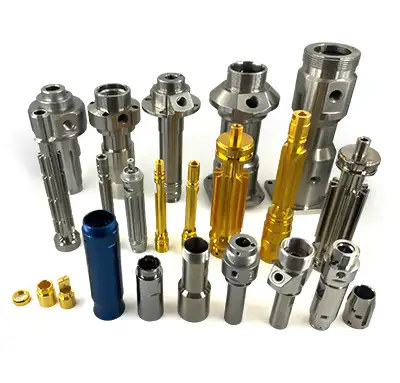
Text milling is a CNC machining method used to engrave names, part numbers, serial codes, arrows, scale marks, logos, or other shallow identification features onto machined parts. Instead of printing or applying a label, the text is cut directly into the material with a small engraving cutter, end mill, or V-bit.
For custom parts, text milling can make identification more durable and professional. It is useful for prototypes, fixtures, panels, aluminum housings, plastic covers, control plates, and components that need traceability. This guide explains how text milling works, what affects font and size choices, which materials are suitable, and how to specify engraved text in an RFQ for MTSPi CNC / MEITESI.
Quick Answer
Text milling means using CNC tools to cut text or marking features into a part surface. The best results usually come from simple fonts, adequate character size, enough stroke width, flat or accessible surfaces, and material that can hold clean edges. Buyers should provide exact text, font preference, location, depth, size, and whether the engraving is cosmetic, functional, or traceability-related.
What Is Text Milling?
Text milling is a subtractive marking process. The CNC machine removes a small amount of material to form letters, numbers, symbols, or graphic marks. The mark may be shallow and cosmetic, or it may be deep enough to remain visible after handling, coating, or repeated use.
Unlike laser marking or printing, text milling creates a physical groove. This can be helpful when the part needs a durable mark, when labels may peel off, or when the text must be part of the machined geometry.
Common Uses for Text Milling
- Part numbers and revision marks on prototypes
- Serial numbers and traceability markings
- Labels on control panels, covers, and plates
- Orientation arrows, scale marks, and assembly notes
- Brand marks or simple logos on machined parts
- Fixture identification and shop-floor tooling labels
Text milling is common on aluminum plates, stainless steel parts, brass components, plastic panels, engineering fixtures, and low-volume custom parts where permanent identification is useful.
Text Milling Font Type
Simple fonts machine better than decorative fonts. A clean sans-serif font is usually easier to engrave because the strokes are consistent and the toolpath is predictable. Very thin, script-style, or highly detailed fonts can require smaller tools, slower cutting, and more finishing work.
For functional marking, readability matters more than style. If the text must be inspected, scanned, or read by operators, choose a font with clear spacing and avoid crowded characters. Single-line engraving fonts can be efficient for simple marking, while outline fonts may be used when the appearance needs more visual weight.
Text Milling Font Size
Font size should be large enough for the cutter to create clean strokes. Very small letters require very small tools, and small tools are more fragile. Tiny text may also become unreadable after bead blasting, anodizing, powder coating, polishing, or normal wear.
A practical text size depends on material, tool diameter, engraving depth, surface finish, and viewing distance. For small parts, shallow fine text may be acceptable. For industrial labels, larger letters with generous spacing are safer.
| Design factor | Why it matters |
|---|---|
| Character height | Controls readability and tool size. |
| Stroke width | Must be compatible with the cutter diameter. |
| Engraving depth | Affects visibility, burrs, cycle time, and coating behavior. |
| Letter spacing | Prevents characters from blending together after machining or finishing. |
Text Milling Materials
Text milling can be used on many materials, but the result depends on hardness, chip behavior, burr formation, surface finish, and the final coating or treatment. The same text geometry may need different tools and depths on aluminum, stainless steel, plastic, and brass.
Metals
Aluminum is one of the easiest materials for CNC text milling. It cuts cleanly and can produce sharp marks, especially before anodizing. Stainless steel is more durable but harder on tools and may need careful cutting parameters to avoid burrs or poor finish. Brass can engrave cleanly, while copper may be more difficult because it can be gummy.
For metal parts, consider whether the text will be visible after anodizing, passivation, bead blasting, polishing, black oxide, or powder coating. A mark that looks clear before finishing may become subtle after a thick coating.
Plastics
Engineering plastics such as POM, ABS, PEEK, nylon, acrylic, and polycarbonate can be engraved, but heat control is important. Some plastics can melt, smear, or leave fuzzy edges if the tool is dull or the feed and speed are poorly chosen.
Plastic parts may need a slightly different engraving depth and tool shape than metal parts. For visible panels, a clean surface finish and burr control are especially important.
Wood, Composites, and Other Materials
Text milling can also be used on wood, composite panels, and some specialty materials. These materials may behave differently from metal. Fibers, layers, resin content, and dust control can affect the final result. For composites, tool wear and edge quality should be reviewed before production.
Design Tips for CNC Text Milling
- Use simple, readable fonts whenever possible.
- Keep letters large enough for the chosen cutter.
- Avoid placing text too close to edges, holes, ribs, or clamping areas.
- Specify engraving depth if visibility or coating is important.
- Confirm whether the text should be milled before or after surface finishing.
- Provide vector artwork for logos instead of low-resolution images.
- Use a flat or accessible surface so the cutter can reach the text cleanly.
Text Milling vs Laser Marking
Text milling physically cuts grooves into the part, while laser marking changes the surface with light and heat. CNC milling is useful when a mark needs depth, when the part is already being machined, or when the mark should be part of the geometry. Laser marking may be faster for fine serial numbers, QR codes, and high-volume marking on suitable materials.
The best method depends on material, text size, durability, appearance, and production quantity. For low-volume machined components, milling the text during the CNC process can be convenient and durable.
How to Specify Text Milling in an RFQ
To avoid mistakes, the RFQ should include the exact text, location, orientation, font or artwork file, character height, depth, and whether the text is cosmetic or functional. If the part will be anodized, coated, or blasted, state whether the text must remain visible after finishing.
For custom machined parts, MTSPi CNC can review text placement along with CNC machining drawings, material choice, tolerances, and finishing requirements. Related processes may include CNC milling service and CNC machining aluminum parts.
Common Mistakes to Avoid
- Using text that is too small for the cutter and material.
- Choosing decorative fonts that are hard to machine cleanly.
- Forgetting that coating or blasting may reduce text visibility.
- Placing text where clamps, curved surfaces, or tool access make machining difficult.
- Sending raster artwork when clean vector geometry is needed.
- Not specifying whether the mark is cosmetic, traceability-related, or functional.
Conclusion
Text milling is a practical way to add durable identification, labels, symbols, serial marks, or simple branding to machined parts. The best results come from clear fonts, realistic character size, accessible surfaces, suitable tools, and early communication about finishing and visibility.
If your part needs milled text or engraved marking, send MTSPi CNC / MEITESI the model, drawing, exact text, artwork file, material, finish, and quantity. A quick review can confirm the right engraving size, depth, cutter, and machining sequence.
FAQ
What is text milling?
Text milling is the process of engraving letters, numbers, symbols, or marks into a part using CNC cutting tools.
What font is best for CNC text milling?
Simple sans-serif or single-line engraving fonts are usually best because they are easier to machine and read.
Can text milling be used on aluminum?
Yes. Aluminum is one of the most common materials for text milling because it machines cleanly and can hold clear engraved marks.
Can CNC text be added after anodizing?
It depends on the required appearance. Text can be milled before finishing or sometimes after finishing, but the sequence changes color, edge appearance, and corrosion protection.
What files should I send for a logo or custom mark?
Send vector artwork such as DXF, AI, SVG, or clean CAD geometry whenever possible. Low-resolution images are not ideal for precise CNC engraving.


