
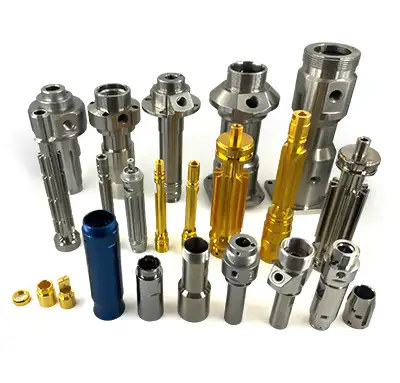
5-axis CNC programming is the process of creating safe, accurate toolpaths for a CNC machine that can move in three linear axes and two rotary axes. It is used when a part needs angled features, complex surfaces, fewer setups, or tool access that is difficult on a standard 3-axis machine.
Good programming is critical because 5-axis machining involves more than moving the cutter around a model. The programmer must control tool orientation, avoid collisions, choose practical cutting strategies, verify machine motion, and output code that matches the exact machine and control. This guide explains the core ideas for buyers, engineers, and manufacturing teams working with MTSPi CNC / MEITESI.
Quick Answer
5-axis CNC programming uses CAM software and machining knowledge to define how a 5-axis CNC machine cuts a part. It includes toolpath creation, tool axis control, collision checking, simulation, post-processing, and setup verification. The goal is to machine complex features accurately while protecting the machine, tool, fixture, and workpiece.
What Is 5-Axis CNC Programming?
In a 5-axis CNC machine, the cutter or workpiece can move along X, Y, and Z while also rotating around two axes. Programming tells the machine where the tool tip should go and how the tool should tilt during machining. This allows the cutter to approach the part from different angles instead of being limited to straight-down cutting.
The program is usually created in CAM software from a 3D CAD model and 2D drawing. The CAM file defines cutting tools, toolpaths, speeds, feeds, stepovers, tool orientation, retract moves, clearance, and machining order. The final code is generated through a post-processor for a specific machine.
Why Is 5-Axis Programming More Difficult Than 3-Axis Programming?
3-axis programming mainly controls the cutter position in three linear directions. 5-axis programming must also control tool angle, rotary axis movement, machine limits, holder clearance, fixture clearance, and the relationship between the tool and part throughout the cut. A small programming error can cause a collision or poor surface finish.
The programmer must think about machine kinematics, not only part geometry. Two different 5-axis machines may need different code for the same part because their rotary axes, table layout, control system, travel limits, and post-processors can differ.
3+2 Programming vs Simultaneous 5-Axis Programming
There are two common programming strategies. In 3+2 programming, the machine rotates to a fixed angle, locks that position, and then cuts with three linear axes. This is useful for angled faces, holes, and multi-side features that can be reached from stable indexed positions.
In simultaneous 5-axis programming, the linear and rotary axes move together while cutting. This is useful for flowing surfaces, undercuts, turbine-style geometry, and features where the tool angle must change continuously. Simultaneous programming is more complex, but it can create surfaces and access that 3+2 cannot handle efficiently.
For a deeper comparison, see 3+2 axis vs simultaneous 5-axis machining.
Main Steps in 5-Axis CNC Programming
| Step | What happens | Why it matters |
|---|---|---|
| Review model and drawing | Check geometry, datums, tolerances, material, and finish | Prevents programming the wrong manufacturing intent |
| Choose strategy | Decide 3+2, simultaneous, or mixed machining | Controls cost, access, stability, and surface finish |
| Select tools | Define cutter type, holder, length, diameter, and material | Affects rigidity, reach, finish, and tool life |
| Create toolpaths | Generate roughing, finishing, drilling, and rest machining paths | Defines how material is removed |
| Simulate and post | Check collisions and output machine-specific code | Reduces crash risk and setup errors |
Tool Axis Control Matters a Lot
Tool axis control defines how the cutter tilts relative to the part surface. A good tool angle can reduce tool stick-out, improve surface finish, avoid holder interference, and help the cutter reach difficult geometry. A poor tool angle can gouge the part, create chatter, or collide with the fixture.
In simultaneous 5-axis machining, tool orientation may change continuously. The CAM strategy must keep that motion smooth enough for the machine to run without sudden rotary moves, poor finish, or feedrate problems.
Collision Avoidance in 5-Axis Programming
Collision avoidance is one of the most important parts of 5-axis programming. The programmer must check the cutter, holder, spindle, fixture, clamps, rotary table, stock, and finished part. Simulation should include the real tool assembly and workholding whenever possible.
Collision checking is especially important for deep cavities, tall walls, short clearances, tilted tools, and expensive materials. A verified program protects the machine and reduces the chance of scrapped parts.
Why the Post-Processor Is So Important
A post-processor converts CAM toolpaths into CNC code for a specific machine. In 5-axis work, the post-processor must correctly handle rotary axis direction, limits, tool center point control, retract moves, feedrates, work offsets, and machine-specific commands.
A toolpath that looks correct in CAM can still fail if the post-processor is wrong. This is why 5-axis programming should be connected to the actual machine model and control system, not treated as generic code.
Common 5-Axis CNC Programming Mistakes
- Choosing simultaneous 5-axis when 3+2 indexed machining would be simpler and more stable.
- Using tool angles that create holder or spindle interference.
- Skipping accurate fixture and clamp modeling during simulation.
- Using long tools when a better tilt strategy could allow shorter tools.
- Ignoring machine rotary limits or singularity problems.
- Applying tight tolerances without planning inspection and setup control.
- Posting code without verifying it on the target machine configuration.
What CAM Software Is Used for 5-Axis Programming?
Many professional CAM systems can support 5-axis programming. The exact software matters less than whether the team can use it correctly for the machine, material, and part geometry. Important capabilities include multi-axis toolpaths, collision detection, stock simulation, tool libraries, machine simulation, post-processing, and NC verification.
For more about CAM planning, see 5-axis machining software.
When Do You Need Professional 5-Axis Programming?
Professional 5-axis programming is needed when the part has complex surfaces, angled features, deep access, expensive material, strict datum relationships, or high inspection risk. It is also important when a part must move from prototype to repeatable production.
If a part is simple, 3-axis or indexed machining may be enough. If the geometry is complex, the programming strategy should be reviewed before quoting and before material is cut.
How MTSPi CNC Handles 5-Axis CNC Programming
MTSPi CNC reviews the model, drawing, material, tolerance, finish, quantity, and inspection needs before choosing a programming strategy. The team considers whether the job should use 3-axis, 4-axis, 3+2 indexed machining, simultaneous 5-axis machining, or a mixed route.
The process includes CAM toolpath planning, tool and holder selection, workholding review, simulation, collision checking, post-processing, first-piece verification, and inspection planning. This helps turn complex geometry into a controlled machining process.
For design-side preparation, see how to design parts for 5-axis CNC machining.
RFQ Checklist for 5-Axis Programming Review
| RFQ item | Why it matters |
|---|---|
| STEP file | Needed for CAM toolpath and tool access review. |
| 2D drawing | Defines datums, tolerances, threads, finish, and inspection requirements. |
| Material and quantity | Affects tools, speeds, fixtures, and setup strategy. |
| Critical surfaces | Helps choose tool orientation, finishing path, and inspection method. |
Conclusion
5-axis CNC programming turns complex geometry into safe, controlled machine motion. It includes toolpath creation, tool axis control, collision avoidance, simulation, post-processing, and machine-specific verification. The best programming strategy may be 3+2, simultaneous 5-axis, or a combination of both.
For complex CNC parts, MTSPi CNC / MEITESI can review your model and drawing, choose a practical machining strategy, program the part, machine it, and support inspection for prototype or low-volume production.
FAQ
What is 5-axis CNC programming used for?
It is used to create toolpaths and machine code for parts that need multi-angle tool access, complex surfaces, fewer setups, or advanced datum control.
Is 5-axis programming always simultaneous?
No. Many jobs use 3+2 indexed programming, simultaneous 5-axis programming, or a mixed strategy depending on the part geometry.
Why is collision checking important?
Because the tool, holder, spindle, fixture, and part can move in complex relationships. Collision checking helps prevent crashes and scrap.
What is a post-processor in 5-axis CNC?
A post-processor converts CAM toolpaths into CNC code for a specific machine and control. It is critical for correct rotary motion and safe machine behavior.
What files should I send for 5-axis programming support?
Send a STEP file, 2D drawing, material grade, quantity, finish requirement, critical tolerances, and any inspection or assembly notes.


