
Categories
Blog Quality & Tolerances Surface Finishing

AI in CNC Machining: Practical Applications, Limits, and Future Trends

Artificial intelligence is becoming useful in CNC machining, but its role is practical rather than magical. It can help engineers analyze data, improve programming decisions, detect process drift, organize production schedules, and support inspection. It does not remove the need for capable machines, experienced programmers, stable fixtures, or sound manufacturing judgment.

For custom machined parts, the strongest results come when AI tools are connected to real process knowledge: material behavior, tool access, tolerance risk, machine condition, and inspection data. MTSPi treats AI as a support layer inside disciplined CNC machining services, not as a substitute for engineering review.

Where AI Fits in CNC Machining

Application What AI Can Support Human Control Still Needed
Programming support Feature recognition, operation suggestions, setup notes, coding assistance Datum strategy, tool selection, fixture review, collision judgment
Toolpath optimization Parameter suggestions, engagement analysis, cycle-time comparison Material behavior, machine limits, surface-finish requirements
Predictive maintenance Trend detection from vibration, load, temperature, and spindle data Maintenance decisions and production scheduling
Quality inspection Vision checks, defect classification, measurement trend analysis Gauge selection, CMM programming, drawing interpretation
Production planning Capacity analysis, job sequencing, bottleneck visibility Priority decisions, supplier coordination, customer commitments

AI-Assisted CNC Programming

Programming complex parts requires decisions about workholding, tool reach, cutting sequence, rest machining, collision avoidance, and finishing strategy. AI-supported software can help recognize features, compare operation choices, and reduce repetitive programming work. The final program still needs review by someone who understands the machine, tools, material, and tolerance plan.

  • Shorter programming time for repeated feature families.
  • Earlier warnings about tool access or collision risk.
  • More consistent operation templates across similar parts.
  • Better knowledge capture from historical machining jobs.

Toolpath Optimization and Cutting Data

AI systems can analyze previous jobs, material data, tool performance, and machine load to recommend changes to feeds, speeds, stepovers, depth of cut, and cutting sequence. This can be valuable for 5-axis machining, titanium machining, stainless steel parts, and high-mix low-volume production where process setup time matters.

Goal AI Contribution Practical Check
Reduce cycle time Compare tool engagement and air-cutting time Do not sacrifice surface finish or tool life
Improve tool life Identify load spikes and unstable cutting zones Confirm with real tool wear data
Stabilize dimensions Track drift and suggest compensation windows Use measurement feedback from critical features
Improve finish Correlate parameters with roughness or visible marks Validate with surface roughness inspection when required

Predictive Maintenance

Unexpected machine downtime can disrupt delivery and create quality risk. Predictive systems use sensor data such as vibration, spindle load, temperature, servo behavior, and alarm history to flag abnormal trends before a failure stops production. For precision machining, this matters because worn spindles, thermal drift, or unstable axes can affect accuracy long before a machine completely fails.

AI and Automated Inspection

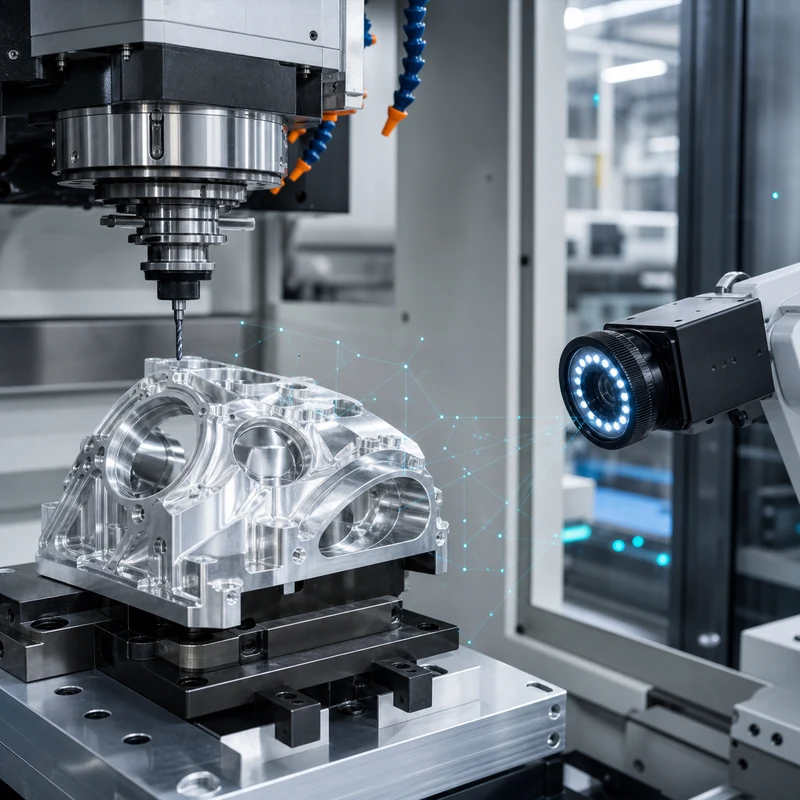
Inspection is one of the most practical AI use cases. Camera systems can help detect surface defects, missing features, burrs, mixed parts, or handling damage. Measurement data can also be analyzed over time to identify tool wear, fixture movement, or process drift. However, AI inspection must be tied to the drawing and validated measurement methods.

  • Use CMM inspection for GD&T, datums, and complex feature relationships.
  • Use micrometers, bore gauges, thread gauges, and pin gauges where they match the feature function.
  • Use camera inspection for visible defects, part presence, orientation, and surface anomalies.
  • Use trend analysis to catch process movement before parts go out of tolerance.

Production Planning and Scheduling

A CNC shop must balance machine availability, materials, tool setup, fixture use, inspection capacity, finishing lead times, and customer priorities. AI-driven planning tools can highlight bottlenecks and propose job sequences, but they work best when the underlying data is accurate and the team updates real constraints such as material arrival, urgent rework, or inspection queue delays.

Limits of AI in CNC Manufacturing

AI can support better decisions, but it cannot guarantee part quality by itself. Poor drawings, vague tolerances, weak fixtures, worn tools, unverified material, or incomplete inspection plans will still create problems. The most reliable approach combines software, skilled engineers, stable machines, and documented quality control.

Common Misunderstanding Better View
AI replaces machinists AI helps skilled teams make faster and more consistent decisions
AI guarantees perfect accuracy Accuracy still depends on machine, setup, tooling, material, and inspection
AI can fix unclear drawings Critical dimensions, datums, finishes, and acceptance criteria still need definition
AI only matters in large factories Smaller shops can also benefit from data capture, programming templates, and inspection trends

Future Trends

The next stage of AI in CNC machining will likely focus on connected CAM workflows, automated manufacturability feedback, adaptive machining, closed-loop inspection, predictive tooling, and better quoting intelligence. These tools will be most useful when they shorten engineering review cycles while keeping manufacturing decisions traceable.

How MTSPi Uses Technology in CNC Projects

MTSPi reviews CAD models, drawings, material requirements, tolerances, finish notes, and inspection needs before production. Digital tools can support quoting, programming, quality planning, and documentation, while experienced engineers remain responsible for the manufacturing route. Share your part requirements through the contact page.

Related MTSPi Resources

FAQ

Will AI replace CNC machinists or programmers?

AI is more likely to support machinists and programmers than replace them. Process planning, fixture judgment, tolerance interpretation, and troubleshooting still require manufacturing experience.

What is the most practical use of AI in CNC machining today?

Practical uses include programming assistance, toolpath optimization, predictive maintenance, inspection trend analysis, and production scheduling support.

Can AI improve CNC part quality?

Yes, when it is connected to reliable process data and inspection feedback. It cannot compensate for poor workholding, unclear drawings, or weak quality control.
Categories
Blog Design, Cost & Sourcing Machine Tools & Programming

How CNC Machining Software Improves Production Efficiency

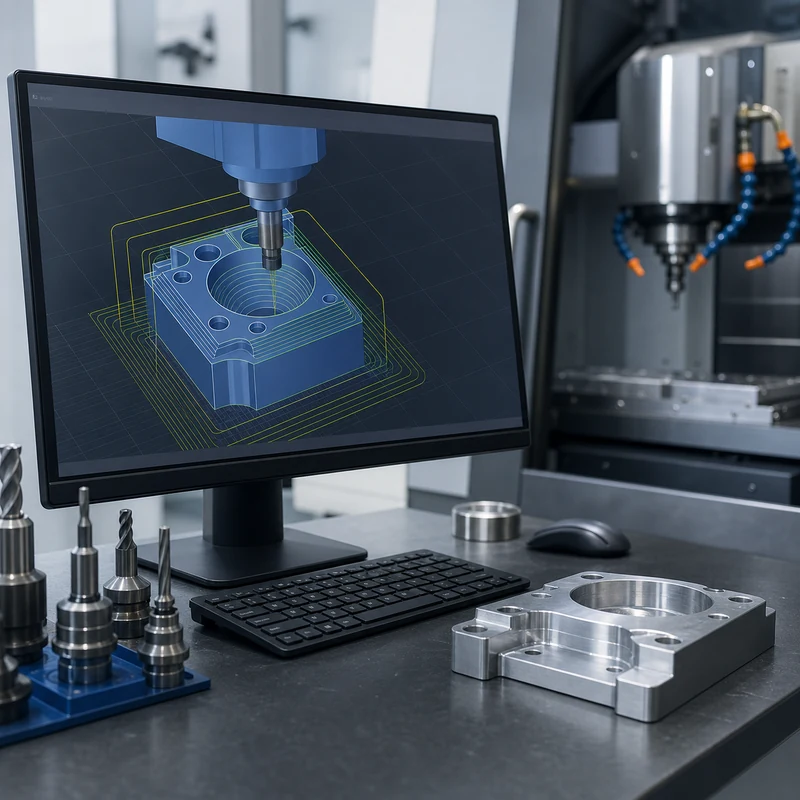
CNC machining software improves production efficiency by turning a CAD model into controlled toolpaths, repeatable setup instructions, reliable simulations, and measurable process data. Good software does not replace skilled machinists, but it gives programmers and production teams better ways to reduce waste, avoid collisions, shorten setup time, and standardize repeat jobs.

For custom parts, the software workflow matters as much as the machine itself. MTSPi uses digital review, programming, process planning, and quality assurance methods to connect design intent with real machining results.

Where CNC Software Fits in Production

Stage Software Role Efficiency Benefit
Design review Checks geometry, manufacturability, access, and missing drawing details Reduces quoting surprises and redesign loops
CAM programming Creates roughing, finishing, drilling, tapping, and contouring toolpaths Shortens programming time and standardizes best practices
Simulation Tests tool reach, holder clearance, stock removal, and machine motion Prevents crashes and wasted setups
Setup planning Defines fixtures, work offsets, tools, and operation sequence Reduces spindle idle time and operator confusion
Inspection feedback Connects measured results to process adjustments Improves repeatability across batches

Key Ways Software Improves Efficiency

Faster programming

Modern CAM systems let programmers reuse templates, tool libraries, feeds, speeds, machining strategies, and post-processors. This is especially useful when similar materials, hole patterns, pockets, or part families appear across multiple projects.

Better toolpath quality

Adaptive roughing, rest machining, high-speed finishing, and optimized entry moves can reduce cycle time while protecting cutters and workpieces. The goal is not simply to move faster; it is to keep tool engagement predictable and finish quality consistent.

Fewer setup errors

Digital setup sheets help operators understand stock size, vise orientation, fixture location, work offsets, tool numbers, inspection checks, and special notes. Clear setup information reduces avoidable mistakes during first article and repeat production.

Safer complex machining

For 5-axis machining, simulation is essential. Software helps verify rotary motion, toolholder clearance, machine limits, and approach angles before material is cut.

Software Does Not Eliminate Process Judgment

Efficient CNC production still depends on material behavior, tool condition, coolant, workholding rigidity, machine capability, inspection planning, and operator feedback. Software can suggest a path, but experienced manufacturing teams decide whether that path is stable, economical, and measurable.

Common Software Capabilities

  • CAD model import and geometry repair for machining preparation.
  • Tool library management with cutter length, diameter, holder, and material-specific data.
  • Automatic and manual toolpath generation for milling, turning, drilling, tapping, and finishing.
  • Collision checking between tool, holder, fixture, stock, and machine components.
  • Post-processing that outputs machine-specific CNC code.
  • Setup sheets and inspection plans for repeatable shop-floor execution.

Benefits for Buyers

Buyers may not see the CAM file, but they feel the result through quoting clarity, shorter lead times, consistent repeat orders, fewer part revisions, and better communication about difficult features. If a part has deep pockets, thin walls, tight bores, complex curves, or multiple setups, software-backed planning can make the difference between an unstable process and a controlled one.

Design Data That Helps Software Work Better

  • Send native 3D CAD when available, plus STEP files for neutral exchange.
  • Include a 2D drawing for threads, tolerances, surface finish, critical datums, and inspection notes.
  • Define material grade, quantity, finish, and application requirements.
  • Flag cosmetic surfaces and assembly interfaces before programming starts.
  • Tell the manufacturer whether prototype speed or production repeatability is the priority.

Related MTSPi Resources

FAQ

Is CAD the same as CAM?

No. CAD is used to create or modify the part model. CAM uses that model to generate machining toolpaths and CNC programs.

Can software reduce CNC machining cost?

Often, yes. Better toolpaths, fewer setups, reduced scrap, reusable templates, and clearer setup sheets can lower the total manufacturing effort.

Categories
Blog Machine Tools & Programming

Computer Numerical Control (CNC): Meaning, Process, Machines, and Uses

Quick answer: Computer numerical control, or CNC, means using a computer program to control machine movement. In machining, CNC controls tool position, spindle speed, feed rate, and cutting paths so metal or plastic parts can be produced accurately and repeatedly.

What Is Computer Numerical Control?

CNC is used because programmed movement is more repeatable than manual control. It helps manufacturers cut complex shapes, hold dimensions, repeat batches, and document the process more consistently.

Key Points for Buyers and Engineers

Topic What to know Practical impact
CNC meaning Computer numerical control Computer-controlled motion for manufacturing.
Machine axes X, Y, Z plus possible rotary axes Defines how tools and workpieces move.
Common machines Mills, lathes, routers, grinders, EDM equipment Different machines fit different part shapes.
Main outputs Holes, pockets, threads, slots, contours, faces Creates usable features from raw material.

How This Affects CNC Machined Parts

CNC is the control method behind many CNC machining services. It can support milling, turning, drilling, tapping, boring, engraving, and finishing preparation for custom parts.

Design and Purchasing Checklist

  • Use CNC when repeatability matters.
  • Choose milling for prismatic features and turning for round parts.
  • Give the supplier CAD files and clear tolerances.
  • Confirm material and finish before quoting.
  • Avoid over-tight tolerances on non-critical features.

Related MTSPi Resources

FAQ

What does CNC stand for?

CNC stands for computer numerical control.

Is CNC the same as machining?

No. CNC is the control method. Machining is the material-removal process.

What materials can CNC cut?

CNC machines can cut aluminum, steel, brass, copper, titanium, ABS, POM, nylon, PEEK, acrylic, and many other materials.

Need help with CNC process selection?

Send drawings, material, quantity, finish, tolerance notes, and application requirements. MTSPi can review manufacturability before quoting.

Contact MTSPi for engineering and quote support

Practical Buyer Notes

Computer numerical control is a broad term, so the page needs to connect the definition to real CNC machine behavior. Users should learn what the controller does, what axes mean, and how code becomes cutting movement.

For SEO, this page should also answer related beginner questions: what CNC stands for, whether CNC is automatic, how CNC differs from manual machining, and what CNC machines can make.

How to Evaluate This Topic on a Real Drawing

Decision point Recommended approach Why it matters
Controller Reads programmed instructions and coordinates movement Turns digital toolpaths into machine action
Axes Control movement in X, Y, Z and sometimes rotary directions Determines which geometry can be machined efficiently
Tooling Uses cutters, drills, taps, inserts, boring tools, and holders Tool choice affects quality and cost
Operator role Sets up workholding, tools, offsets, and inspection checks CNC still requires skilled manufacturing control

Common Mistakes to Avoid

  • Explaining CNC only as automation without discussing machining operations.
  • Ignoring the role of CAM programming and setup.
  • Suggesting CNC removes all human skill from manufacturing.
  • Not linking CNC meaning to real part examples.

Recommended MTSPi Review Workflow

MTSPi should use this page to move readers from definition to application. Once users understand CNC, they should be guided toward milling, turning, materials, tolerances, and RFQ preparation.

  1. Confirm the part function, operating environment, and assembly risk.
  2. Review material, process, tolerance, surface finish, and inspection requirements together.
  3. Separate critical features from general dimensions so cost is not wasted on non-functional details.
  4. Use related resources such as CNC materials, surface treatment, and quality assurance to complete the specification.
  5. Send the final drawing package to MTSPi for quote review before production.

What to Send for a Faster Quote

For a CNC quote, send the part model, drawing, material, quantity, finish, tolerance expectations, and notes about how the part will be used.

  • 3D CAD file and 2D drawing with revision number.
  • Material grade or acceptable alternatives.
  • Quantity, delivery target, and whether samples are required first.
  • Critical dimensions, thread callouts, finish notes, and inspection requirements.
  • Application notes when the part is used in heat, moisture, wear, vibration, or visible assemblies.

Deeper Engineering Notes

For computer numerical control, the strongest page is not just a definition. It should help a buyer decide what information belongs on the drawing, what questions to ask a supplier, and which details affect cost, quality, and delivery. In real RFQ work, the important details are usually machine axes, controller instructions, CAM programs, work offsets, tool offsets, and operator setup. These details decide whether the supplier can quote confidently or has to return with repeated questions.

The common risk is thinking CNC is fully automatic without skilled setup, programming, and measurement. That risk can make the content look complete on the surface but weak in a real manufacturing situation. A stronger specification connects the topic to material behavior, machine access, tolerance control, finishing, and inspection before the order is released.

Example Specification Review

Review area Question to answer Good specification practice
Function What does this feature or part need to do? Describe the load, fit, motion, appearance, sealing, or assembly requirement.
Material Is the selected material suitable for the environment? Confirm strength, heat, corrosion, wear, chemical exposure, and cosmetic needs.
Geometry Can the feature be reached by standard tools? Review depth, corner radius, wall thickness, tool clearance, and setup direction.
Tolerance Which dimensions are truly critical? Use tight tolerances only where function requires them and keep general dimensions practical.
Verification How will acceptance be checked? Define gauges, CMM checks, roughness measurement, thread inspection, or visual standards when needed.

How This Page Should Support Ranking

This topic can attract both beginner searches and buyer searches. The beginner wants a clear answer; the buyer wants enough detail to make a manufacturing decision. A page has a better chance to rank when it answers the simple question first, then adds examples, process limits, design notes, comparison tables, and practical next steps.

That is also why internal links should be helpful rather than forced. A reader should naturally move from this page to a process page, material page, surface finish page, inspection page, or quote page only when that next step solves a real question.

Conclusion

Computer numerical control is the foundation of modern precision machining. It helps turn digital part data into consistent metal and plastic components.

Request A Quote

We'll Send You Back with Price Immediately!

DEC 1-31

XMAS SPECEIL

Up to

40% off

Computer Numerical Control (CNC): Meaning, Process, Machines, and Uses

We'll Send You Back with Price Immediately!