
Categories
Blog Machine Tools & Programming

Computer Numerical Control (CNC): Meaning, Process, Machines, and Uses

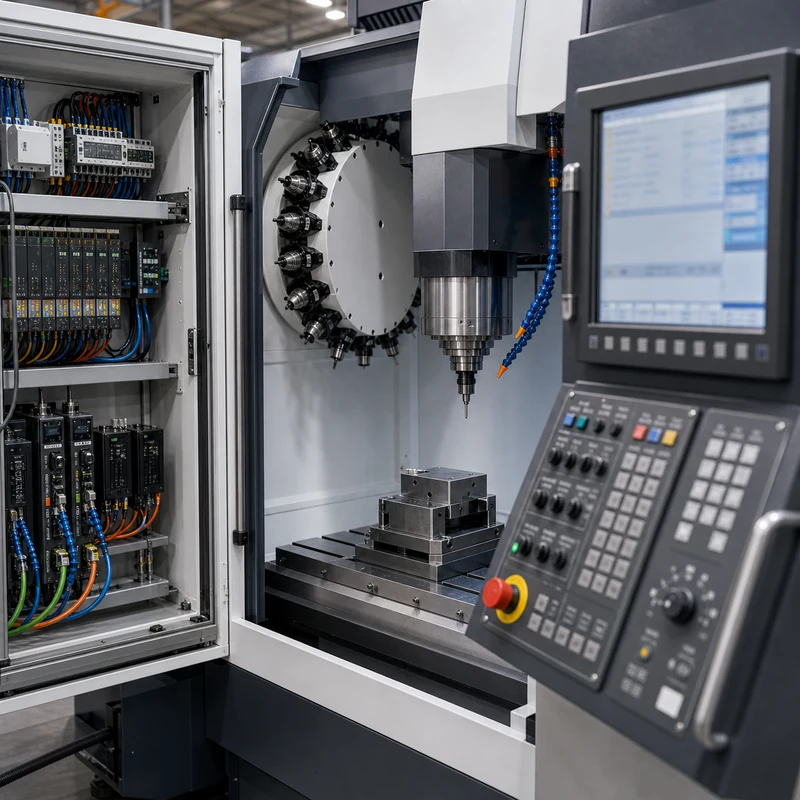
Quick answer: Computer numerical control, or CNC, means using a computer program to control machine movement. In machining, CNC controls tool position, spindle speed, feed rate, and cutting paths so metal or plastic parts can be produced accurately and repeatedly.

What Is Computer Numerical Control?

CNC is used because programmed movement is more repeatable than manual control. It helps manufacturers cut complex shapes, hold dimensions, repeat batches, and document the process more consistently.

Key Points for Buyers and Engineers

Topic What to know Practical impact
CNC meaning Computer numerical control Computer-controlled motion for manufacturing.
Machine axes X, Y, Z plus possible rotary axes Defines how tools and workpieces move.
Common machines Mills, lathes, routers, grinders, EDM equipment Different machines fit different part shapes.
Main outputs Holes, pockets, threads, slots, contours, faces Creates usable features from raw material.

How This Affects CNC Machined Parts

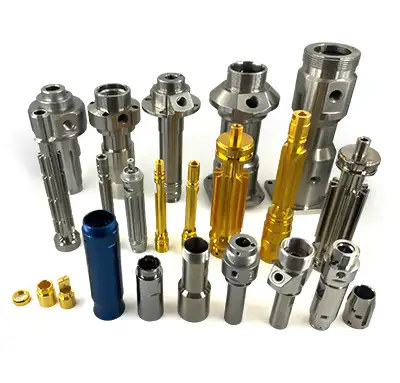
CNC is the control method behind many CNC machining services. It can support milling, turning, drilling, tapping, boring, engraving, and finishing preparation for custom parts.

Design and Purchasing Checklist

  • Use CNC when repeatability matters.
  • Choose milling for prismatic features and turning for round parts.
  • Give the supplier CAD files and clear tolerances.
  • Confirm material and finish before quoting.
  • Avoid over-tight tolerances on non-critical features.

Related MTSPi Resources

FAQ

What does CNC stand for?

CNC stands for computer numerical control.

Is CNC the same as machining?

No. CNC is the control method. Machining is the material-removal process.

What materials can CNC cut?

CNC machines can cut aluminum, steel, brass, copper, titanium, ABS, POM, nylon, PEEK, acrylic, and many other materials.

Need help with CNC process selection?

Send drawings, material, quantity, finish, tolerance notes, and application requirements. MTSPi can review manufacturability before quoting.

Contact MTSPi for engineering and quote support

Practical Buyer Notes

Computer numerical control is a broad term, so the page needs to connect the definition to real CNC machine behavior. Users should learn what the controller does, what axes mean, and how code becomes cutting movement.

For SEO, this page should also answer related beginner questions: what CNC stands for, whether CNC is automatic, how CNC differs from manual machining, and what CNC machines can make.

How to Evaluate This Topic on a Real Drawing

Decision point Recommended approach Why it matters
Controller Reads programmed instructions and coordinates movement Turns digital toolpaths into machine action
Axes Control movement in X, Y, Z and sometimes rotary directions Determines which geometry can be machined efficiently
Tooling Uses cutters, drills, taps, inserts, boring tools, and holders Tool choice affects quality and cost
Operator role Sets up workholding, tools, offsets, and inspection checks CNC still requires skilled manufacturing control

Common Mistakes to Avoid

  • Explaining CNC only as automation without discussing machining operations.
  • Ignoring the role of CAM programming and setup.
  • Suggesting CNC removes all human skill from manufacturing.
  • Not linking CNC meaning to real part examples.

Recommended MTSPi Review Workflow

MTSPi should use this page to move readers from definition to application. Once users understand CNC, they should be guided toward milling, turning, materials, tolerances, and RFQ preparation.

  1. Confirm the part function, operating environment, and assembly risk.
  2. Review material, process, tolerance, surface finish, and inspection requirements together.
  3. Separate critical features from general dimensions so cost is not wasted on non-functional details.
  4. Use related resources such as CNC materials, surface treatment, and quality assurance to complete the specification.
  5. Send the final drawing package to MTSPi for quote review before production.

What to Send for a Faster Quote

For a CNC quote, send the part model, drawing, material, quantity, finish, tolerance expectations, and notes about how the part will be used.

  • 3D CAD file and 2D drawing with revision number.
  • Material grade or acceptable alternatives.
  • Quantity, delivery target, and whether samples are required first.
  • Critical dimensions, thread callouts, finish notes, and inspection requirements.
  • Application notes when the part is used in heat, moisture, wear, vibration, or visible assemblies.

Deeper Engineering Notes

For computer numerical control, the strongest page is not just a definition. It should help a buyer decide what information belongs on the drawing, what questions to ask a supplier, and which details affect cost, quality, and delivery. In real RFQ work, the important details are usually machine axes, controller instructions, CAM programs, work offsets, tool offsets, and operator setup. These details decide whether the supplier can quote confidently or has to return with repeated questions.

The common risk is thinking CNC is fully automatic without skilled setup, programming, and measurement. That risk can make the content look complete on the surface but weak in a real manufacturing situation. A stronger specification connects the topic to material behavior, machine access, tolerance control, finishing, and inspection before the order is released.

Example Specification Review

Review area Question to answer Good specification practice
Function What does this feature or part need to do? Describe the load, fit, motion, appearance, sealing, or assembly requirement.
Material Is the selected material suitable for the environment? Confirm strength, heat, corrosion, wear, chemical exposure, and cosmetic needs.
Geometry Can the feature be reached by standard tools? Review depth, corner radius, wall thickness, tool clearance, and setup direction.
Tolerance Which dimensions are truly critical? Use tight tolerances only where function requires them and keep general dimensions practical.
Verification How will acceptance be checked? Define gauges, CMM checks, roughness measurement, thread inspection, or visual standards when needed.

How This Page Should Support Ranking

This topic can attract both beginner searches and buyer searches. The beginner wants a clear answer; the buyer wants enough detail to make a manufacturing decision. A page has a better chance to rank when it answers the simple question first, then adds examples, process limits, design notes, comparison tables, and practical next steps.

That is also why internal links should be helpful rather than forced. A reader should naturally move from this page to a process page, material page, surface finish page, inspection page, or quote page only when that next step solves a real question.

Conclusion

Computer numerical control is the foundation of modern precision machining. It helps turn digital part data into consistent metal and plastic components.
Categories
CNC Machining Basics

Demystifying the CNC Machining Process Explained Simply

Ever wondered how complex metal or plastic parts are made with such incredible precision? The answer lies in CNC machining. This guide breaks down the entire CNC manufacturing process into simple steps, from a digital design to a finished physical part. We’ll explore how it works, why it’s so valuable, and clear up some common misconceptions.

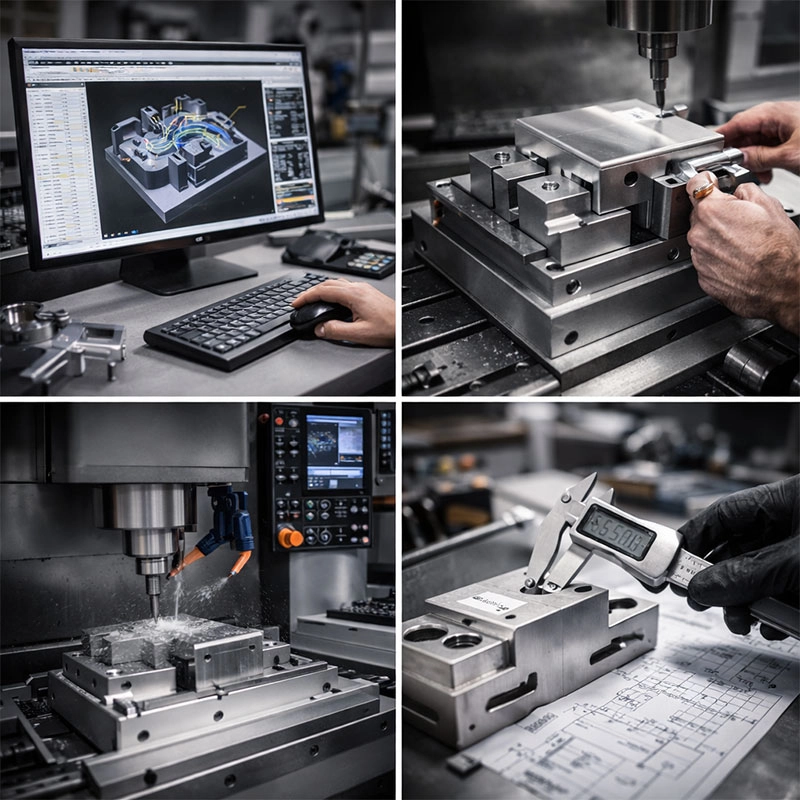
Understanding the Step-by-Step CNC Machining Workflow

Let’s walk through the CNC machining process step by step. Think of it like a highly skilled chef following a perfect recipe. The recipe is the digital design, the chef is the machine, and the ingredients are your block of material. Every action is planned and executed with precision.

Step 1: The Digital Blueprint (CAD)

It all starts with an idea. Using Computer-Aided Design (CAD) software, an engineer or designer creates a detailed 3D model of the part. This is the master plan. It defines every dimension, curve, and hole. You might be asking, how does CNC machining work from a drawing?” Well, this 3D model is the essential first answer. It’s the source of truth for the entire CNC manufacturing process.

Step 2: Speaking the Machine’s Language (CAM)

The CAD model is beautiful, but the machine can’t understand it directly. This is where Computer-Aided Manufacturing (CAM) software comes in. The CAM programmer takes the 3D model and creates a set of instructions, called G-code. This code tells the machine exactly where to move, how fast to spin the cutting tool, and how deep to cut. It’s like translating the recipe into a language the chef understands perfectly.

Step 3: The Machine Setup

Now, we move to the shop floor. An operator secures the raw material (called the “workpiece”)—which could be aluminum, steel, plastic, or other materials—onto the machine bed. The correct cutting tools are loaded into the machine’s spindle. This setup is crucial for accuracy. A good setup ensures the CNC milling process or CNC turning operation starts from the right place every time.

Step 4: The Machining Operation

This is the main event! The machine operator starts the program. The spindle spins the cutting tool at high speeds, and it precisely removes material from the workpiece, following the paths defined by the G-code. You’ll see chips flying as the block of material is gradually shaped into the final part. Different operations like milling, drilling, and turning happen here, all part of the subtractive manufacturing family.

Step 5: Finishing Touches

Once the main cutting is done, the part often isn’t quite ready. It might have sharp edges or a rough surface. Secondary processes like deburring (removing sharp edges), sanding, polishing, or anodizing (for aluminum) are applied. This post-processing gives the part its final look, feel, and sometimes extra properties like corrosion resistance.

Why is the CNC Process So Valuable?

So, what makes this explanation of CNC machining so important for industries? The value is immense. First, it offers incredible precision and repeatability. You can make one part or a thousand, and they will all be virtually identical. This is a game-changer for everything from aerospace components to medical devices. Second, it can create incredibly complex geometries that would be impossible or prohibitively expensive to make by hand. Finally, while the initial setup and programming take time, it’s extremely efficient for production runs, saving both time and money in the long run. For a deeper dive into its applications, resources like the American Society of Mechanical Engineers (ASME) offer great insights.

How Can You Get Started with CNC Manufacturing?

If you’re curious about using CNC machining services for a project, here’s our friendly advice. Start with a clear and well-designed CAD file—this is the most important piece. Then, find a reputable machine shop. Don’t be afraid to ask questions! A good shop will guide you on material selection, design for manufacturability (making sure your design is easy to machine), and cost estimates. For beginners, starting with a simpler design in a common material like 6061 aluminum is a great way to learn the basics of CNC operation without breaking the bank.

Clearing Up Common CNC Machining Misconceptions

Let’s tackle a few myths. First, some think CNC is only for huge factories. Not true! Many small workshops and even hobbyists use desktop CNC machines. Second, it’s not always the fastest option for a single, simple part—3D printing might be quicker for a one-off prototype. Third, while highly automated, it still requires skilled humans for programming, setup, and quality control. The machine follows instructions; people provide the expertise. Understanding these nuances is key to a complete guide to computer numerical control.

In short, the CNC machining process is a powerful blend of digital design and physical precision. By understanding the workflow from CAD to finished part, you can appreciate its role in making the world around us, from your car’s engine to your smartphone’s casing. It’s a fascinating technology that turns digital dreams into tangible reality.

Categories
CNC Machining Basics

What Is CNC Machining? A Beginner’s Friendly Guide to Modern Manufacturing

Ever wondered how complex metal or plastic parts are made with such incredible precision? The answer often lies in CNC machining. This guide will walk you through what CNC machining is, how it works, and why it’s a cornerstone of modern manufacturing, all in simple, friendly terms.

Understanding the Basics of CNC Machining

Let’s start at the very beginning. If you’ve ever seen a perfectly smooth engine block, a custom guitar bridge, or even parts of a smartphone, you’ve likely seen the work of CNC manufacturing. At its heart, computer numerical control machining is a way to make things by removing material from a solid block, guided entirely by a computer. Think of it like a super-precise, automated sculptor that can carve metal, plastic, or wood based on a digital blueprint.

What Does CNC Stand For?

CNC stands for Computer Numerical Control. It sounds technical, but it’s quite straightforward. The “computer” part is the brain—it reads a set of coded instructions (called G-code). The “numerical control” part refers to how those instructions tell the machine exactly where to move, how fast to spin the cutting tool, and how deep to cut. Before CNC, machinists had to manually operate machines like lathes and mills, which was slower and less consistent. So, when people ask what is CNC milling or what is CNC turning, they’re really asking about specific applications of this brilliant computer-controlled system.

How Does the CNC Machining Process Work?

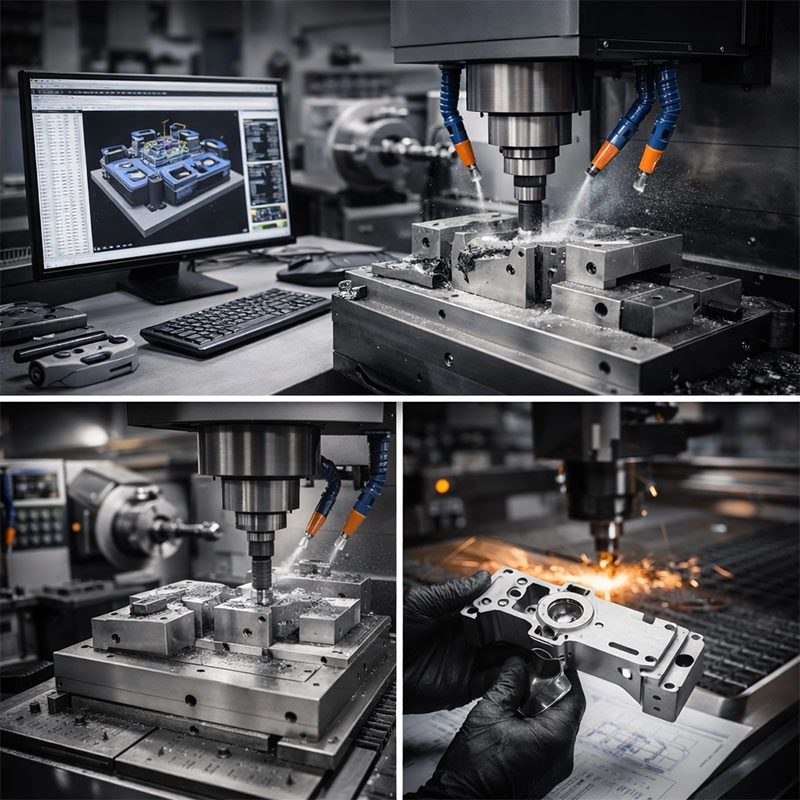
The journey from a raw block to a finished part is a fascinating dance between software and hardware. It usually starts with a 3D model designed in CAD (Computer-Aided Design) software. This model is then translated by CAM (Computer-Aided Manufacturing) software into the G-code the machine understands. Once the code is loaded, the operator secures the material (called the workpiece) onto the machine bed. Then, with the push of a button, the machine’s cutting tools follow the programmed path with incredible accuracy, shaving away material layer by layer until the part is complete. This process is the core of subtractive manufacturing, which is just a fancy term for carving out a shape.

CNC Milling vs. CNC Turning

You’ll often hear about two main types of CNC machine tools: mills and lathes. Here’s a simple way to tell them apart. A CNC milling service typically uses a rotating cutting tool that moves across a stationary workpiece to cut away material. It’s great for creating complex shapes, slots, and holes. On the other hand, CNC lathe work involves rotating the workpiece itself against a stationary cutting tool. This is ideal for making cylindrical or conical parts like shafts, knobs, and rings. Many modern workshops use multi-axis machining centers that can do both, offering incredible flexibility.

Why CNC Machining is a Game-Changer

So, why has precision CNC machining become so vital? First, it’s incredibly accurate and repeatable. You can produce ten parts or ten thousand, and each one will be virtually identical. This level of consistency is crucial for industries like aerospace and medical devices. Second, it can handle incredibly complex geometries that would be impossible or too expensive to make by hand. Third, while the initial setup and programming take time, it’s extremely efficient for production runs, saving time and money in the long run. It truly is a pillar of modern manufacturing techniques.

Getting Started with CNC: What You Should Know

If you’re curious about using CNC machining services, here’s some friendly advice. Start by having a clear, well-designed 3D model—this is your recipe. Next, think about your material choice; common options include aluminum, stainless steel, brass, and various plastics like ABS or nylon. Each has different properties and machining requirements. When you contact a machine shop, be ready to discuss your part’s function, required tolerances (how precise dimensions need to be), and surface finish. A good shop will guide you through the CNC fabrication process and help optimize your design for manufacturability. For a deeper dive into materials and standards, resources like ASM International can be very helpful.

Clearing Up Common CNC Misconceptions

Let’s tackle a few myths! One common belief is that CNC machines do everything by themselves without any human skill. In reality, a skilled machinist or programmer is essential for setting up the job, selecting the right tools, and ensuring everything runs smoothly. Another myth is that it’s only for giant factories. While it powers major industries, smaller CNC job shops and even hobbyists use desktop CNC machines for prototyping and custom projects. Finally, it’s not just for metal. CNC routing for wood and plastics is hugely popular in sign-making, furniture, and arts.

I hope this guide has helped demystify the world of CNC for you. From understanding what is computer numerical control to seeing its real-world impact, it’s a technology that shapes the physical world around us with precision and efficiency. Whether you’re an engineer, a maker, or just someone fascinated by how things are made, the principles of CNC machining are a wonderful glimpse into the innovation driving modern production.

Request A Quote

We'll Send You Back with Price Immediately!

DEC 1-31

XMAS SPECEIL

Up to

40% off

What Is CNC Machining? A Beginner’s Friendly Guide to Modern Manufacturing

We'll Send You Back with Price Immediately!